Toolbars
Features
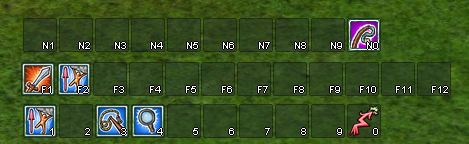
Two additional toolbars
- F-key toolbar
- N-key toolbar
- Both are enabled via
Options->Interface settings.
Draggable
- You can drag the toolbar while holding the
Altkey.
Vertical Toolbars
- You can change the toolbar orientation to vertical by clicking the "R" button on the toolbar.
The additional F-key and N-key bars can also hold Replica actions.